Part 3: Drives and Stuff
Magnetic storage is so cheap nowadays that even if you
don't think you could ever use it up, you might as well get
tons of hard disk space without breaking the bank. However,
this only applies to IDE drives, which are just about given
away, while SCSI units of equivalent size still cost quite a
bit. Not to worry, though, as modern ATA/100 drives perform
almost on par with their SCSI counterparts, particularly as
far as regular desktop applications go.
![[IBM]](BeBox_Files/IBM_logo.gif) ![[Hard drive]](BeBox_Files/IBM_HardDrive.jpeg)
In any event, one particular bargain is IBM Deskstar 75GXP,
a 45GB drive. With performance near the top of the pack and
prices near the bottom, this unit seems to be the one to get
at the moment. If you plan on installing multiple operating
systems, or doing a lot of graphics work, then $147
that you would pay for one is money well spent. To tell the
truth, however, we are not partial to IBM. Hard drives are
becoming more and more of a commodity, so if you can find a
good deal on a high capacity unit from Quantum, Western Digital, Seagate, Maxtor, Fujitsu, or
Samsung, there is no reason to take IBM over any of them. Just
make sure you are getting one that's rated at 7200rpm and you
should be in a good shape.
One more thing. If you choose a BX-based motherboard, you
will probably need to buy an extra ATA/66 controller for your
hard drive. The most popular one around is Promise Ultra66
PCI, which can be had for as little as $19.
A brand-agnostic philosophy can be also applied to CD-ROM
drives, which are, for the most part, highly
indistinguishable. Still, there is one that clearly stands
out, and that is Kenwood
TrueX 72x. Not only does this reader provide superior
performance which is consistent across all the areas of a disk
being played, it is also one of the quietest units on the
market. In order to achieve such impressive results, the
engineers at Kenwood are employing a groundbreaking split-beam
technology which allows their drives to read 7 tracks at the
same time.
On the other hand, if $89 sounds like a whole lot of money
to pay for top-notch CD-ROM performance, then there are plenty
of other less costly brands, such as Creative Labs, Acer, Delta, and Hi-Val.
Of course, a lot of BeNews readers would not be satisfied
with just a plain CD player and are more than willing to pay a
little extra to get CD-RW capabilities. However, none of the
burners listed on Be's support site are any longer produced,
so we must rely on user feedback to know which ones actually
work.
![[Plextor]](BeBox_Files/Plextor_logo.gif) ![[CD-RW drive]](BeBox_Files/Plextor_CD-RW.jpeg)
It appears that most of the newer Plextor and Toshiba drives are indeed
compatible. Our current recommendation is PlexWriter
12/10/32A, which will set you back about $202. You
could obviously go for a 16x unit, but at this kind of speed
you might have some problems with real-time audio decoding.
What about DVD-ROM, you might ask? Well, for that we'll
have to wait until Be resolves the licensing issues. In the
meantime, the slot-loading 16x drives from Pioneer seem to
be all the rage.
![[Teac]](BeBox_Files/Teac_logo.gif) 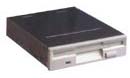
Last but not least, just in case you need to boot from an
old-fashioned floppy, make sure to install a 3.5" floppy
drive, which shouldn't cost you more than $11. In
our labs we usually use Teac brand units, but those
from either NEC or Mitsumi could serve just
fine as well.
|





















 Colors!
